AI for teams of 5 to 1,000
Where business puts AI to work.
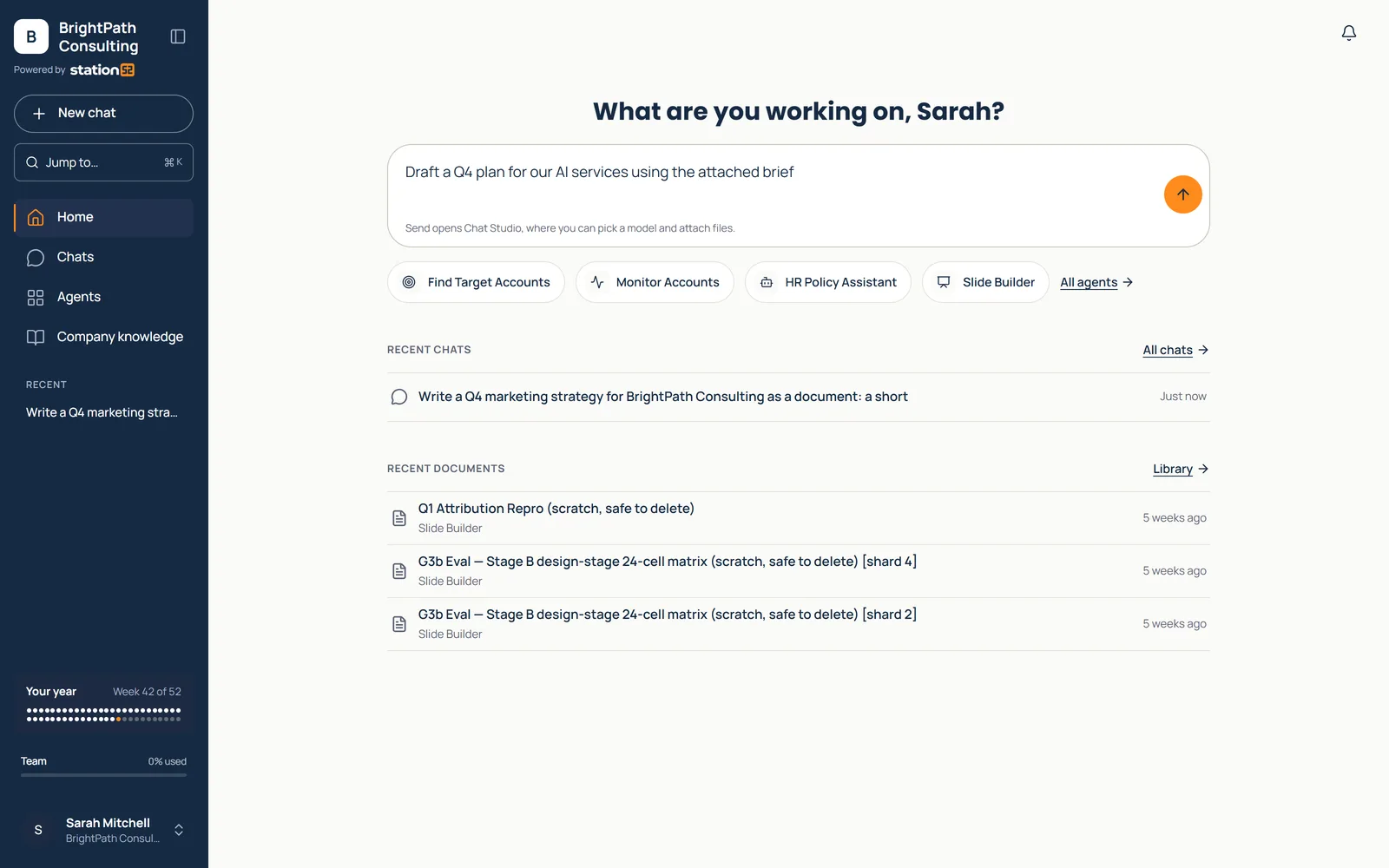
One place for your team to research, create, analyze, review, and finish everyday business work — with your company knowledge, ready-made agents, leading AI models, and business controls already built in.
The problem
Most teams have AI access. Few have AI results.
A blank chat box and a prompt-training session don’t move work. Scattered pilots and shadow AI don’t scale. And raw customer data shouldn’t be pasted into a public model.
Station52 is the fix: AI organized around the work, not the technology.
The three spaces
Three ways in, one system behind them
Use AI, learn AI, and roll AI out — each with the right kind of help, all in one system.
Station52 Workspace
Get work done with AI.
Get work done today: pick the job, answer a few questions, and walk away with the deliverable.
What you get: ready-made agents, company knowledge, and Secure Vault on every plan.
Station52 Classroom
Learn AI with confidence.
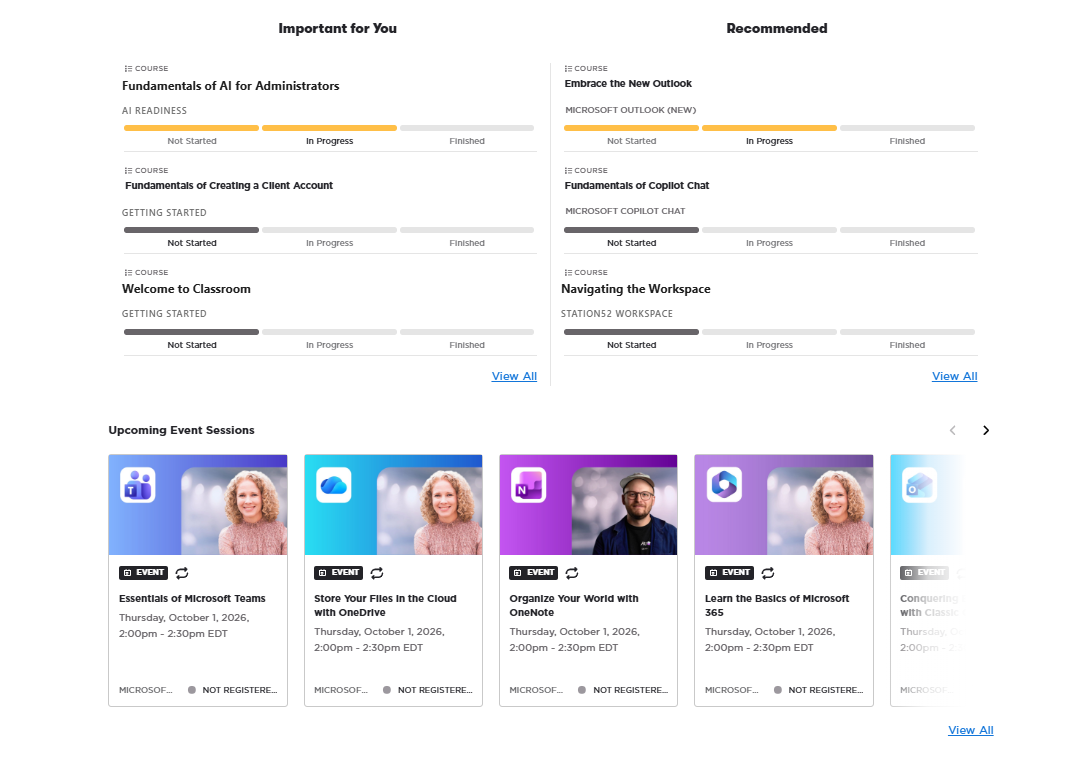
AI and business productivity training that turns access into adoption, with people using AI safely and well in their own jobs.
What you get: Self-paced courses, live sessions, and role paths tied to Workspace agents.
Station52 Workshop
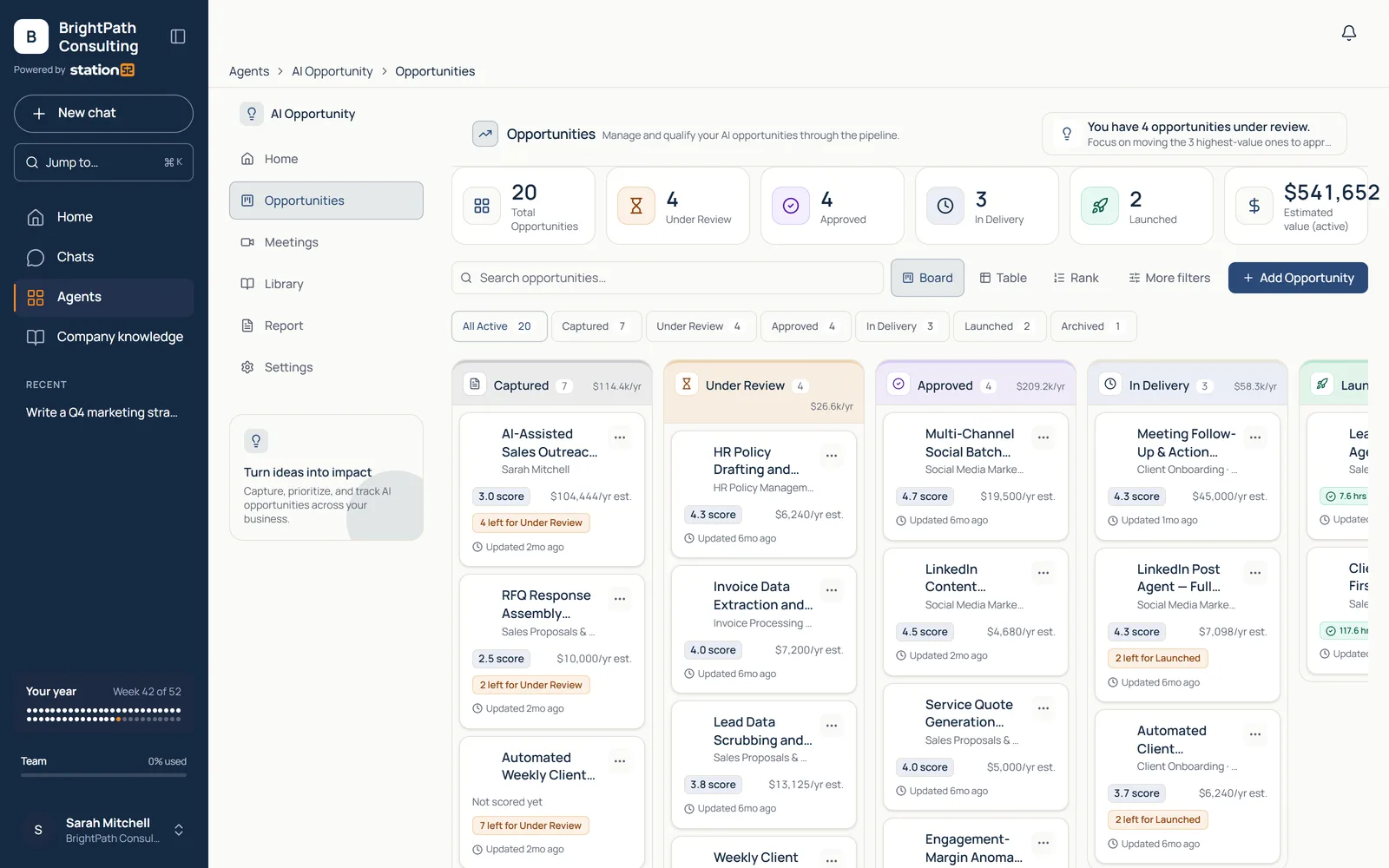
Decide where AI belongs.
Expert help deciding where AI belongs, at the level of support you choose: self-serve, assisted, or managed.
What you get: Governance, employee engagement, opportunity discovery, pilots, and measurement.
See the work get done
Pick the job. Get the deliverable.
Every agent starts from a real task and ends with something you can use — not a draft you rebuild somewhere else.
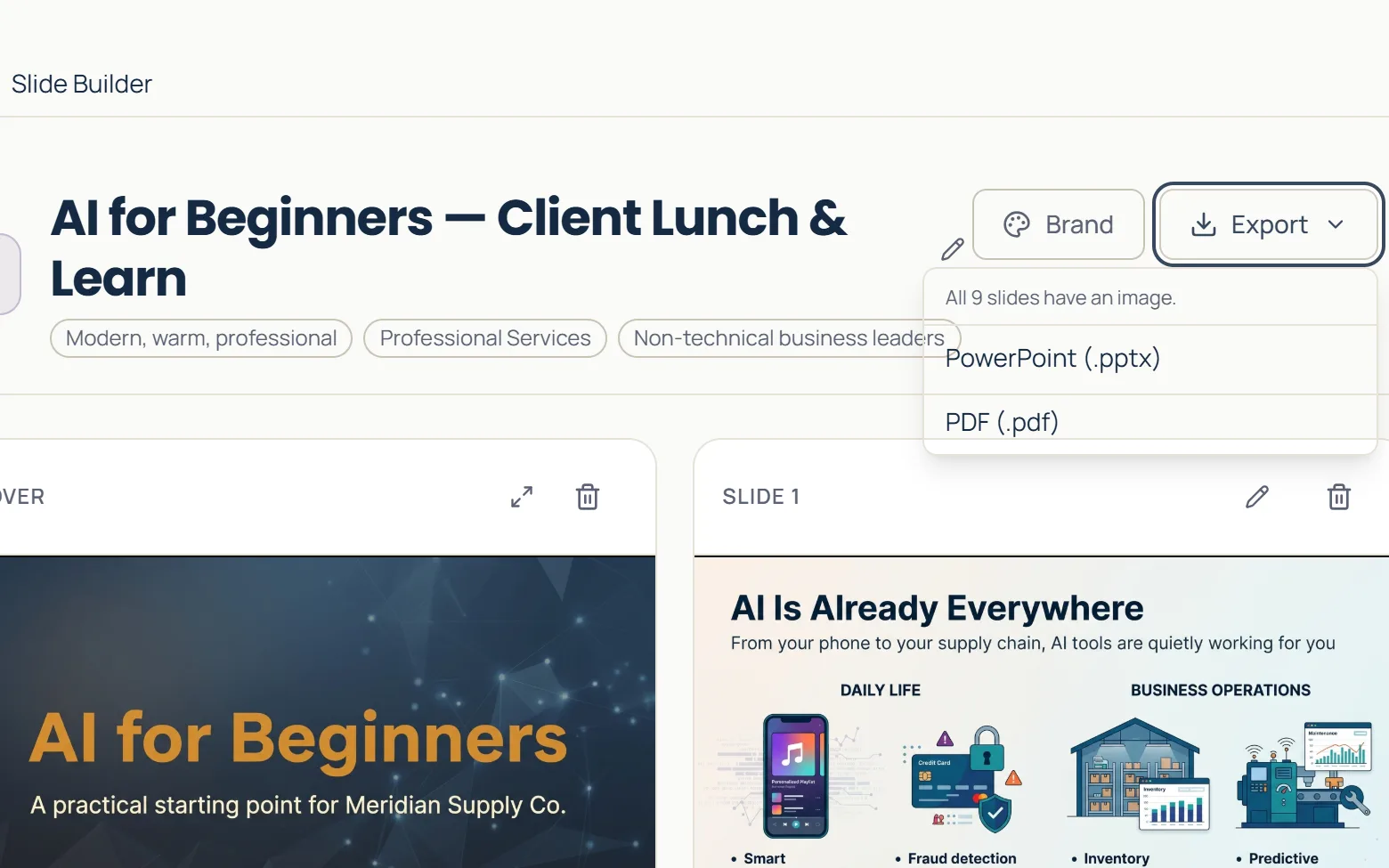
Slide Builder · Marketing
Build the presentation
Describe each slide and get finished slides in your company’s style, then refine, share, or export to PowerPoint.
OutcomeFive finished slides, every one with an image, ready as .pptx or .pdf.
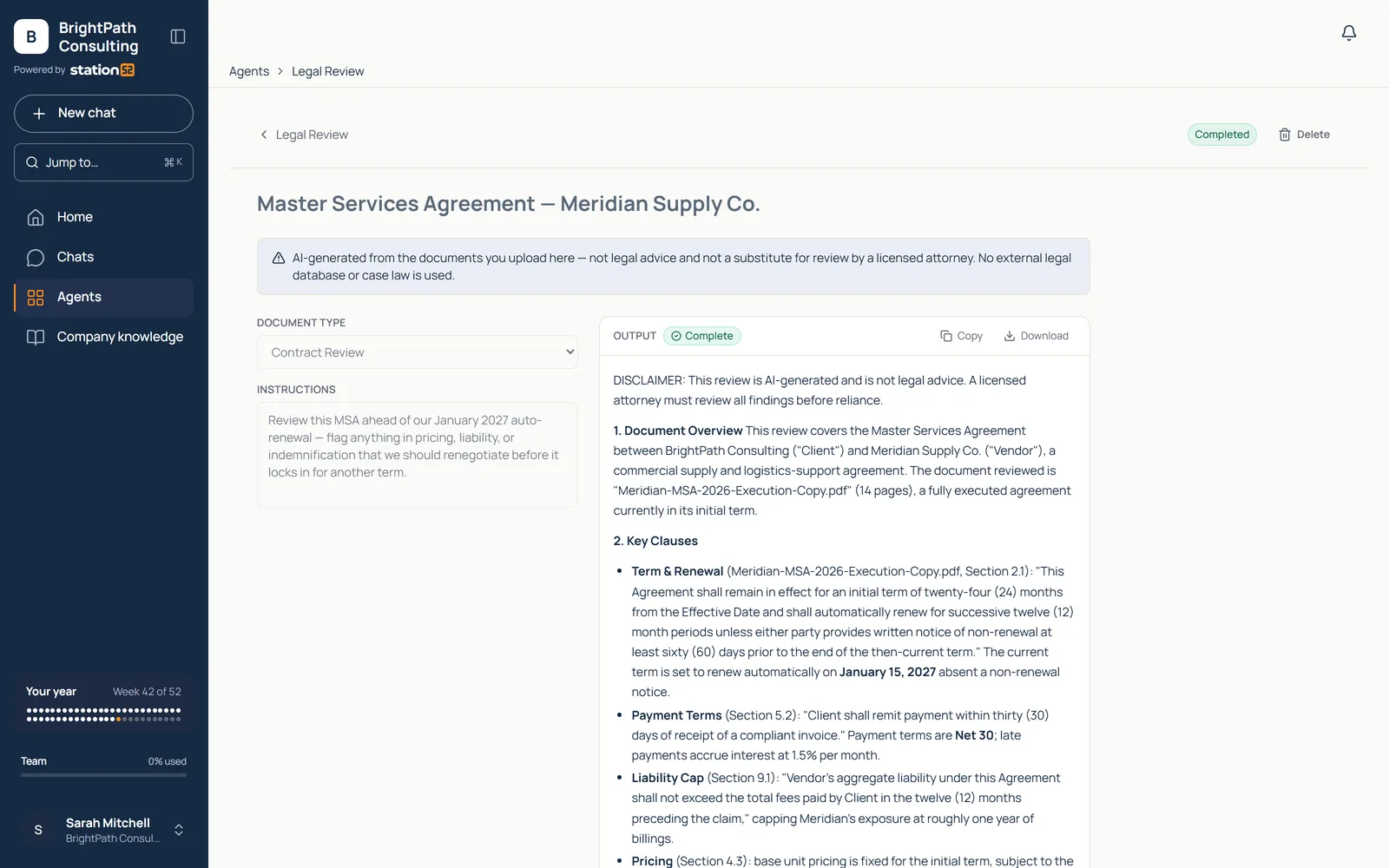
Legal Review · Legal
Review the contract
Summaries, key terms, obligations, renewal details, payment terms, and risk flags from an uploaded contract.
OutcomeNon-lawyers understand the major issues before escalating to counsel.
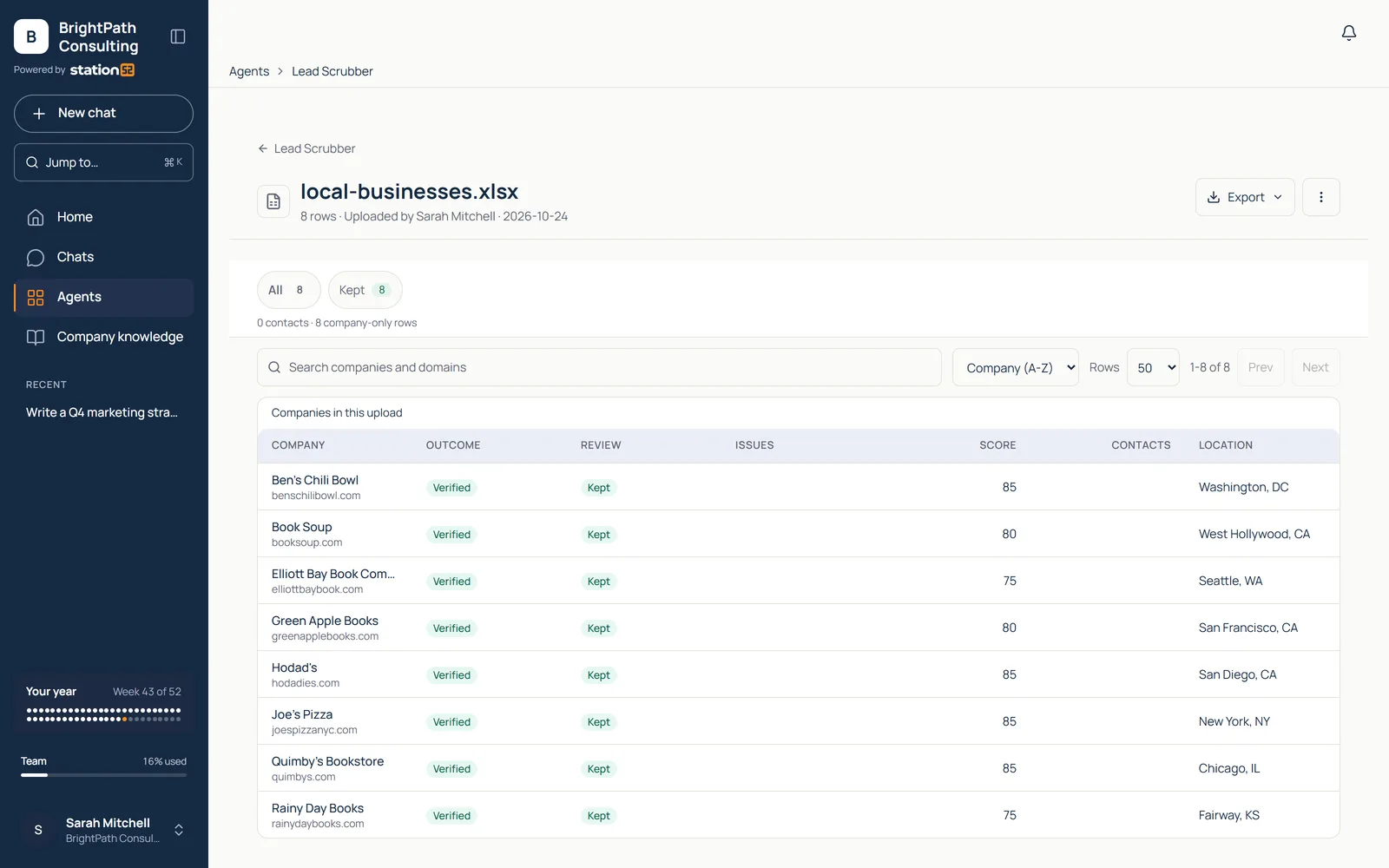
Lead Scrubber · Sales
Clean the lead list
Clean an uploaded lead spreadsheet, map columns, enrich accounts and contacts, and export campaign-ready data.
OutcomeEight local businesses checked and scored: every one verified, ready to review before CRM import.
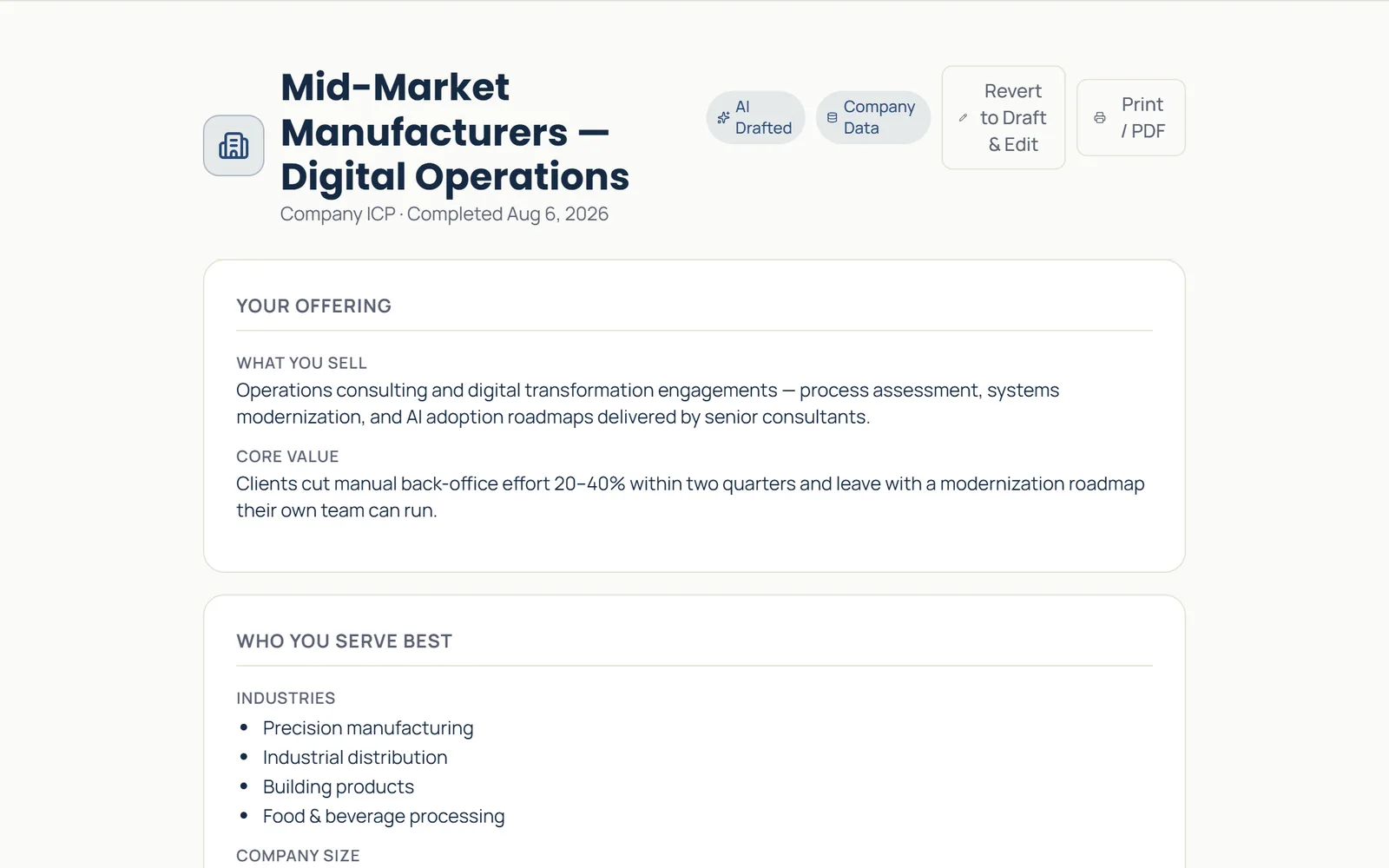
ICP Builder · Sales
Research the prospects
A researched ideal-customer profile, with segments, signals, and target-account guidance built from your company data.
OutcomeA completed ICP brief your sales team can act on, not a generic persona.
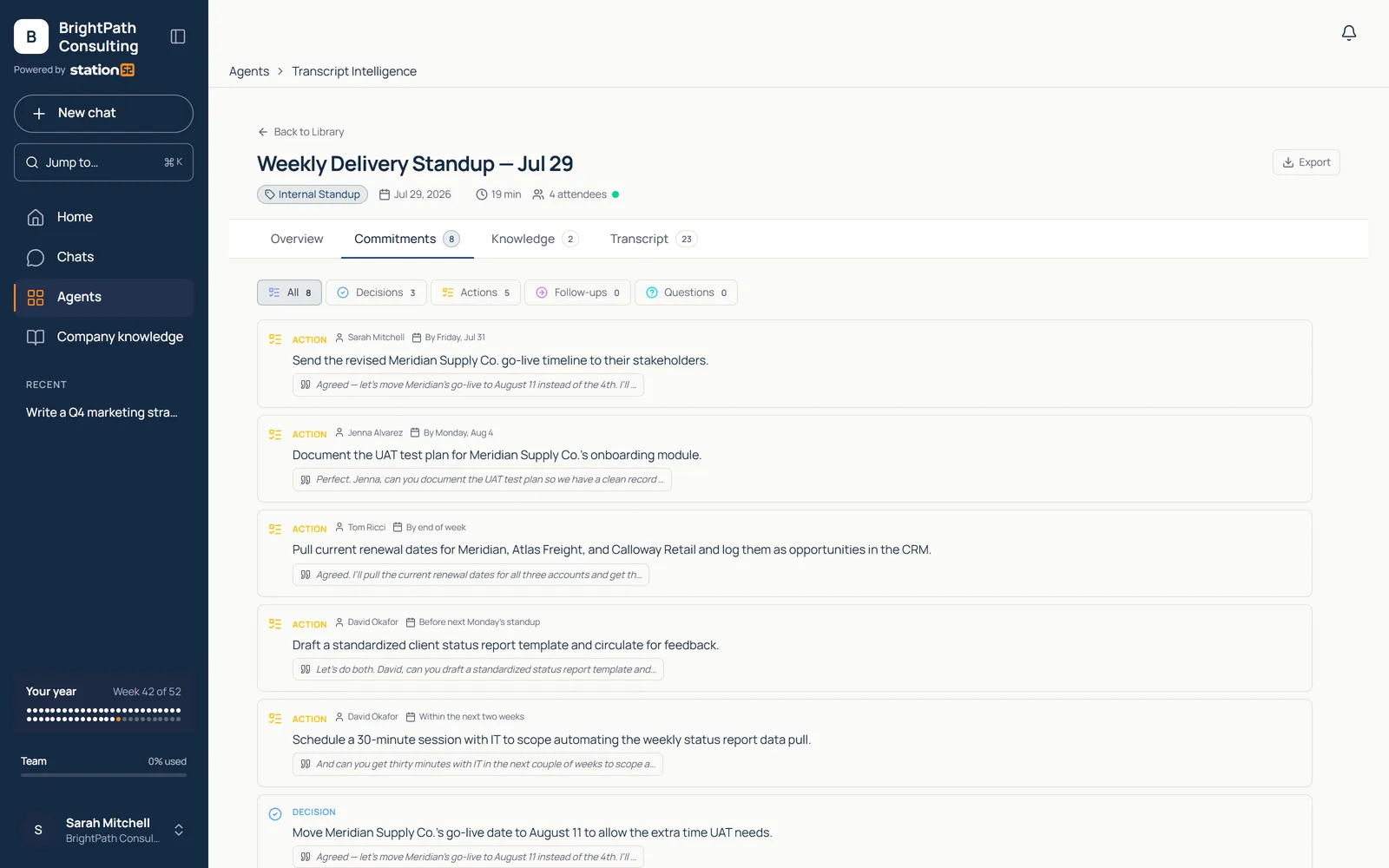
Transcript Intelligence · Operations
Analyze the meeting
Turn a transcript into a summary, key moments, commitments, and reusable knowledge.
OutcomeEight commitments captured from one call — nothing rides on someone’s notes.
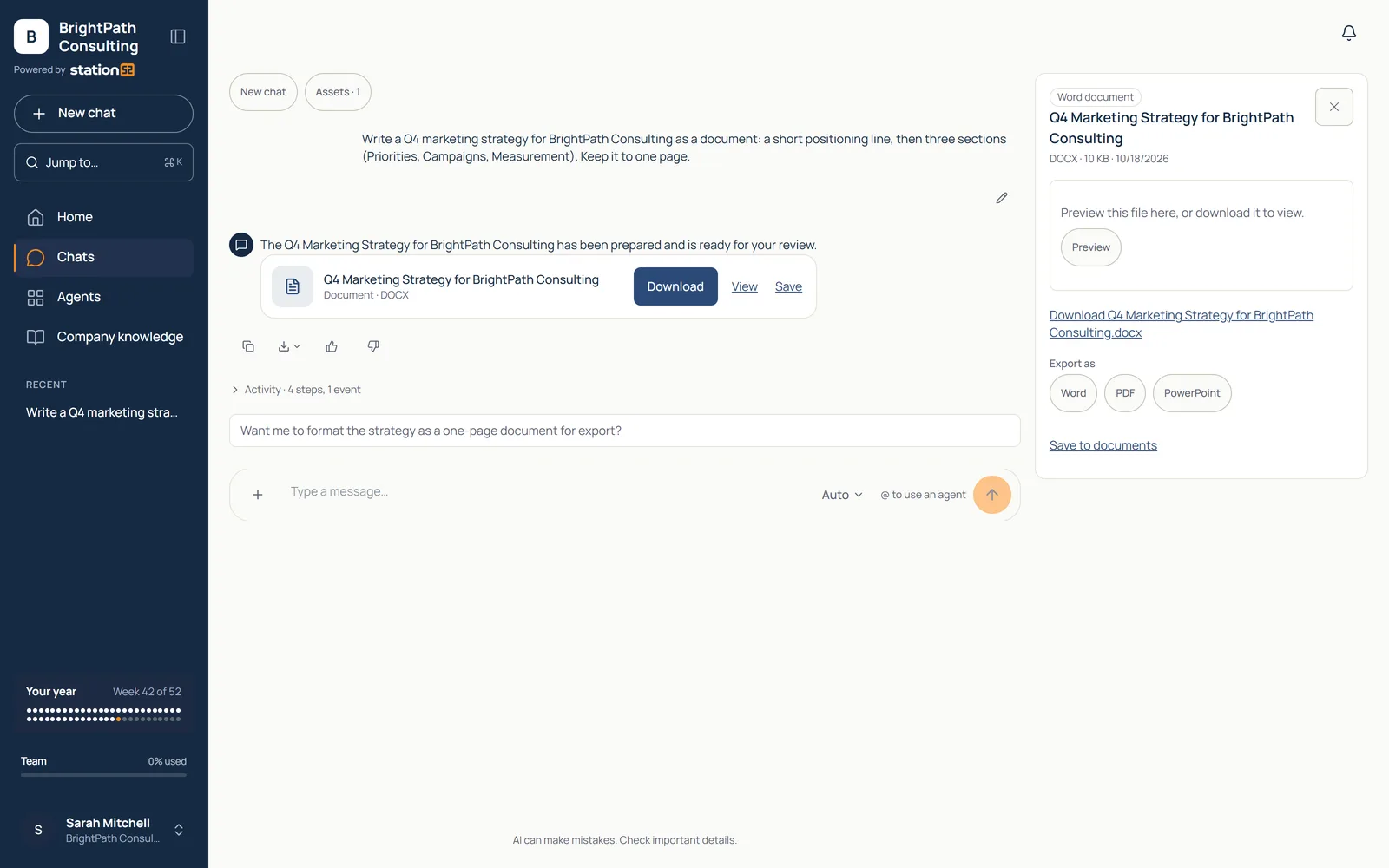
Chat Studio · Chat
Write the strategy document
Ask for the document in plain language and get a finished file back, ready to export to Word, PDF and PowerPoint.
OutcomeA Q4 marketing strategy as a Word document, ready to download.
One platform, two sides
Simple for employees. Manageable for the business.
For everyone who does the work
Open it, pick the job, get it done.
Pick the job. A deck, a cleaned lead list, a contract review — agents ready to run.
Answer questions, not prompts. A short guided setup instead of a blank chat box.
Company context built in. Outputs sound like your company and cite your documents.
Walk away with the deliverable. A real file or cited answer, not a draft to rebuild.
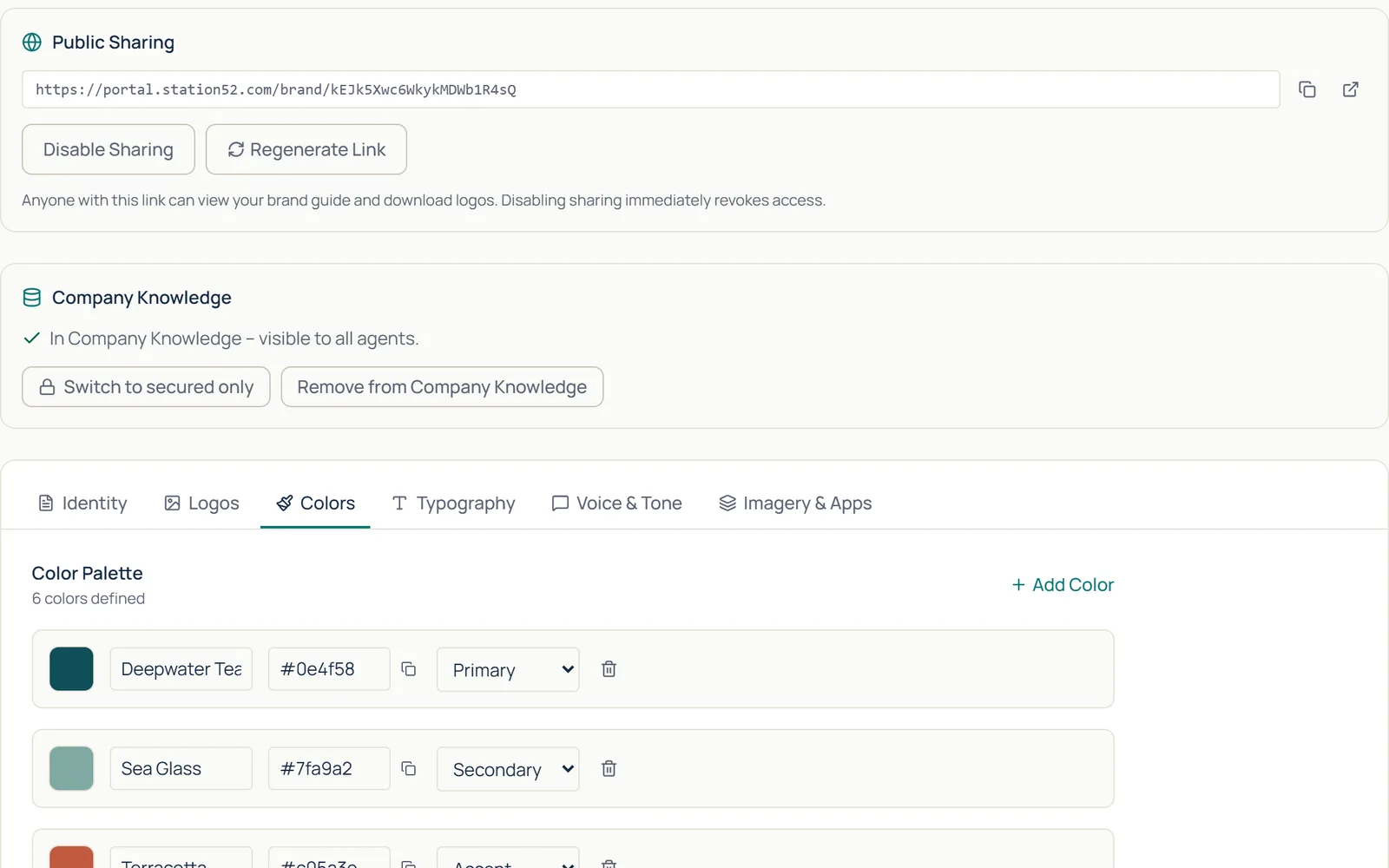
For whoever runs it
Set it once. See everything.
Secure Vault before the model call. Sensitive values are protected before any prompt leaves.
The sign-in IT already runs. Google Workspace or Microsoft Entra ID, with directory sync.
Groups decide who can do what. Access to agent packs follows your org chart.
Models managed, never picked. Admins choose which models are available. Employees don’t have to.
A permanent audit log. Every sensitive change on the record — not editable, not removable.
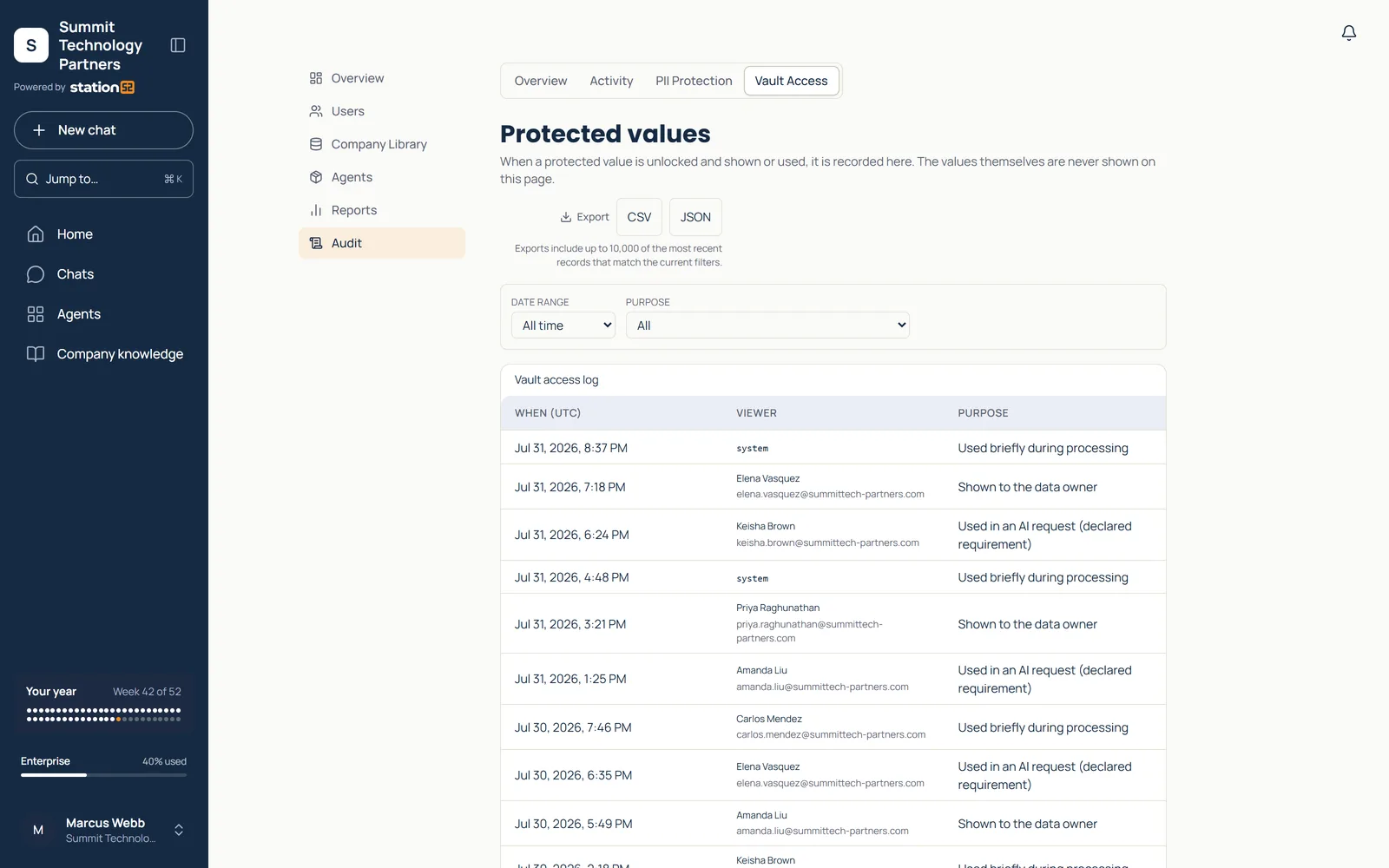
An employee sees one thing: the job they need done. Everything that makes it safe to run is the business’s to set once — not theirs to think about.
How it works
From first question to finished work in one session
No setup project. No prompt training.
Step 1
Pick the right path
Workspace to get work done, Classroom to build skills, Workshop to decide where AI belongs.
Step 2
Answer a few questions
Tell the agent what you need, who it’s for, and how it should sound.
Step 3
Get the deliverable
A result your team can use, edit, and build on.
Why it works
Built around the work, not the technology
Start with the work. AI helps you finish it.
Practical AI agents built around real business tasks — not a blank chatbot and an empty prompt box.
Give every team more ways to get work done.
Sales, HR, marketing, legal, operations, and leadership each gain capabilities — without adding another specialized application for every task.
Simple to use. Easy to run.
Company knowledge, leading AI models, privacy, permissions, governance, and usage management — all in one platform.
Who it’s for
Built for teams — and the organizations that serve them
From a five-person company to a provider running AI for dozens of clients.
SMBs
Teams of 5 to 1,000
Get more work done with the team you already have — no AI department required.
See WorkspaceMSPs
Offer AI to every client
Each client gets its own Workspace plan, billed by card by Station52, with your brand in the Workspace sidebar.
See the MSP programMembership organizations
AI as a member benefit
Give member companies AI that does real work. Each one gets its own plan, and your organization earns a revenue share.
See the membership programQuestions
Why Station52?
Why Station52 instead of direct AI subscriptions?
Direct subscriptions give each person a blank chat box. Station52 gives everyone ready-made agents built around real jobs — and gives the business company context, Secure Vault data protection, admin controls, and usage visibility in one place.
Do employees need prompt training?
No. Every agent opens with a few guided questions, so people describe the job instead of writing prompts. Classroom covers safe use and prompting for anyone who wants to go deeper.
What is Secure Vault?
Secure Vault protects sensitive values before a prompt reaches the model, then restores approved data in the response. Account defaults decide what is anonymized, redacted, or passed through.
What does Workspace cost?
Plans start at $50/month for small businesses, $250/month for teams of 20 or more, and generally $1,000/month for 100 or more employees. Starter includes 28 of 30 agents; Team and Enterprise include all 30.
How do we get started?
With a short working session, not a pitch. Bring a real task and we’ll run it together on screen. Most small teams start with Workspace and use it the same week.
Get started
Ready to put AI to work?
A short working session, not a pitch. Bring a real task — a deck, a lead list, a contract, a policy question — and we’ll show you the matching workflows on screen.
AI doesn’t replace people. It helps them do their best work.